Starting 1 May 2026, all users of the MyJPJ app will be required to log in using MyDigital ID as the only authentication method, as the Road Transport Department (JPJ) rolls out a major digital security upgrade.
What changes for MyJPJ users?
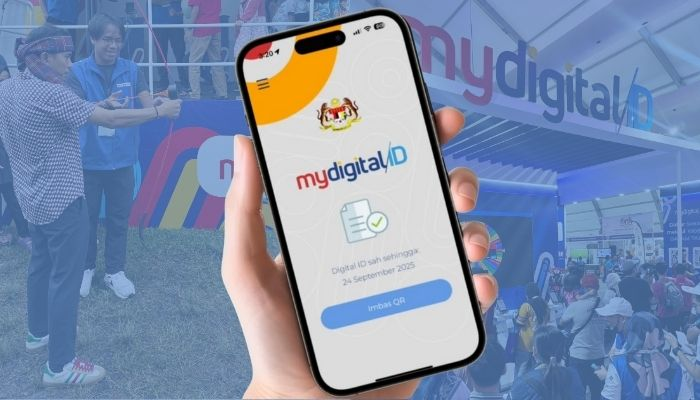
JPJ Director-General Datuk Aedy Fadly Ramli said the move is part of efforts to strengthen cybersecurity, reduce fraud risks, and streamline access to government services.
With the new system in place:
- MyDigital ID becomes the only login method for MyJPJ
- Existing IC/password login will be phased out
- Users must activate MyDigital ID before accessing the app
- All identity verification will be linked to a single secure profile
JPJ has urged MYJPJ users aged 12 and above to register early to avoid disruptions once enforcement begins.
Aedy Fadly Ramli added that the new version of the app has been enhanced with additional features including MyDigital ID integration, a guest mode that allows limited access without logging in, a 24-hour smart chatbot, and the integration of JPJeBid and JPJeQ services into a single platform.
How to register for MyDigital ID
1. Download the MyDigital ID app
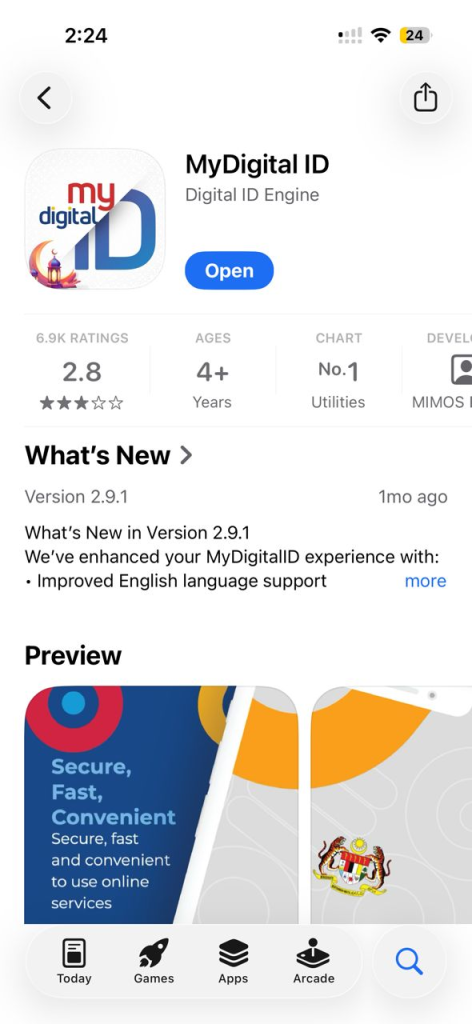
2. Click the “Register online” button
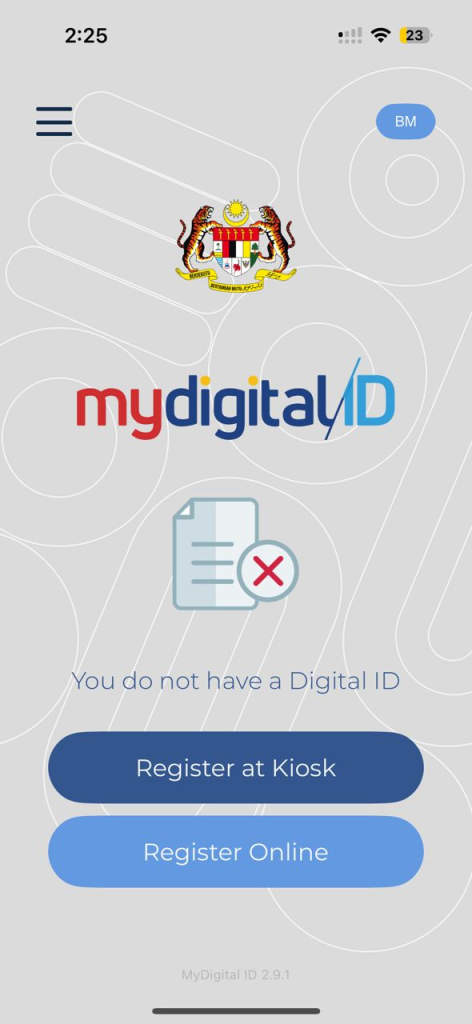
3. Enter your email address
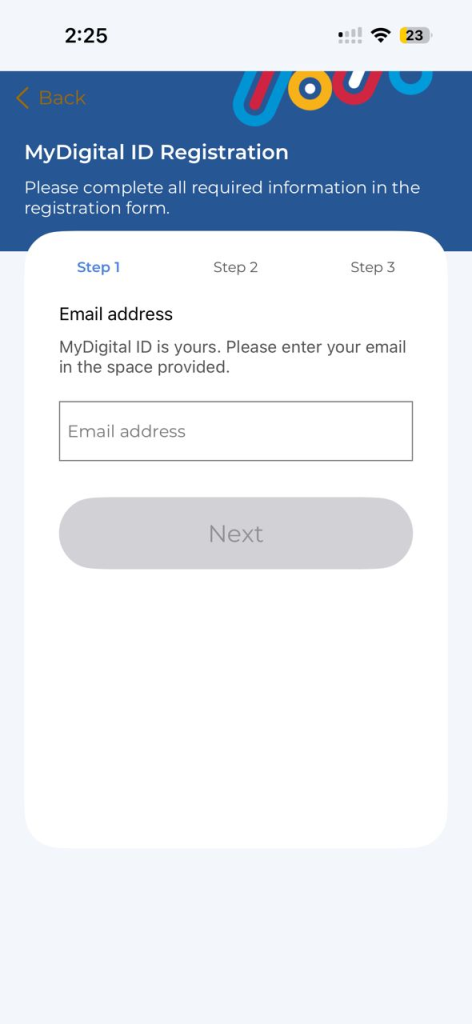
4. Open inbox at your email account to get the six-digit One Time Pin (OTP).
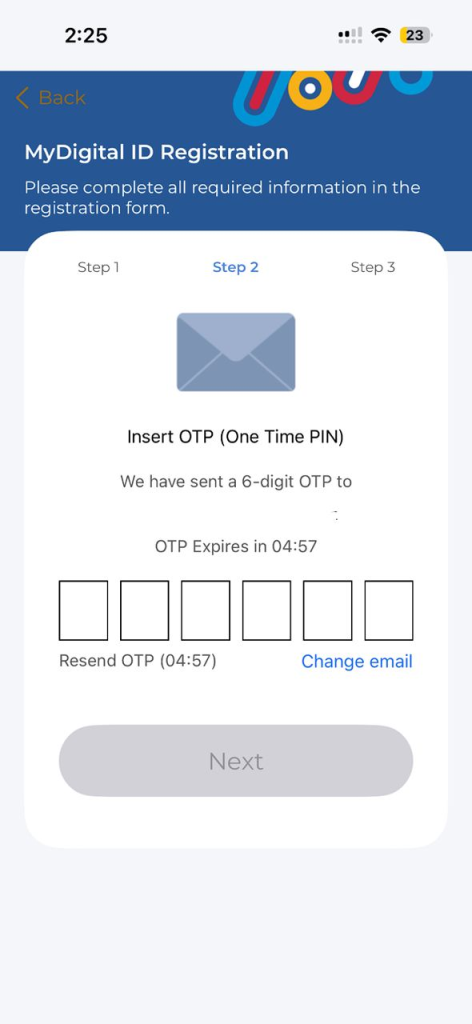
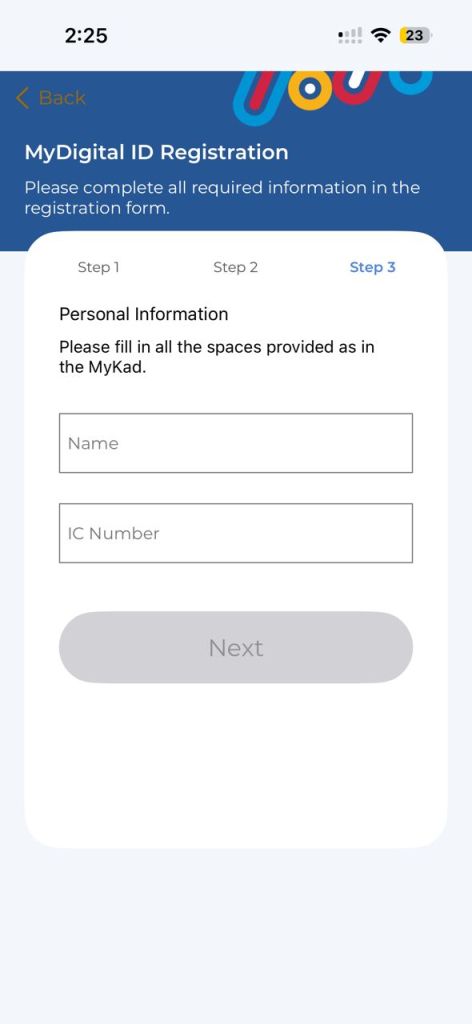
5. Type your name and your identification card (IC) / MyKad number
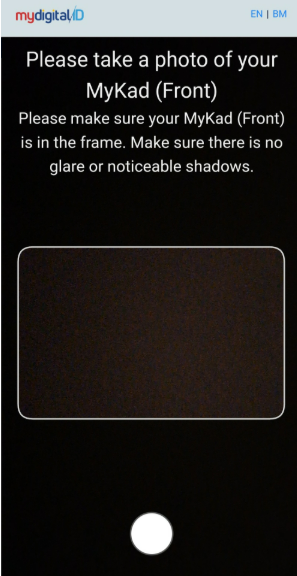
6. Next, take a photo of your MyKad (back & front), then take a selfie with your phone.
7. Set a password for your MyDigital ID.
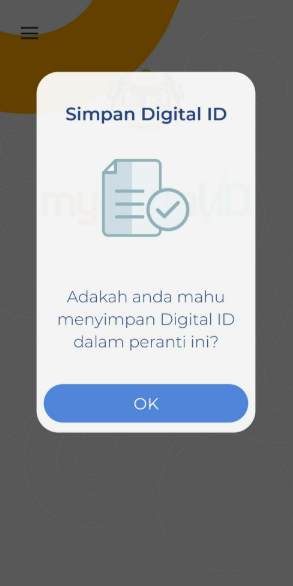
Once registration is complete, a prompt will appear asking whether you’d like to save your Digital ID on the device. Click “OK” to proceed. Then, you’ll receive a confirmation message informing you that your Digital ID has been successfully set up and is ready to use.
You can also choose to register your Digital ID at designated kiosks, making it easier for users who may not be comfortable completing the process on their own devices.
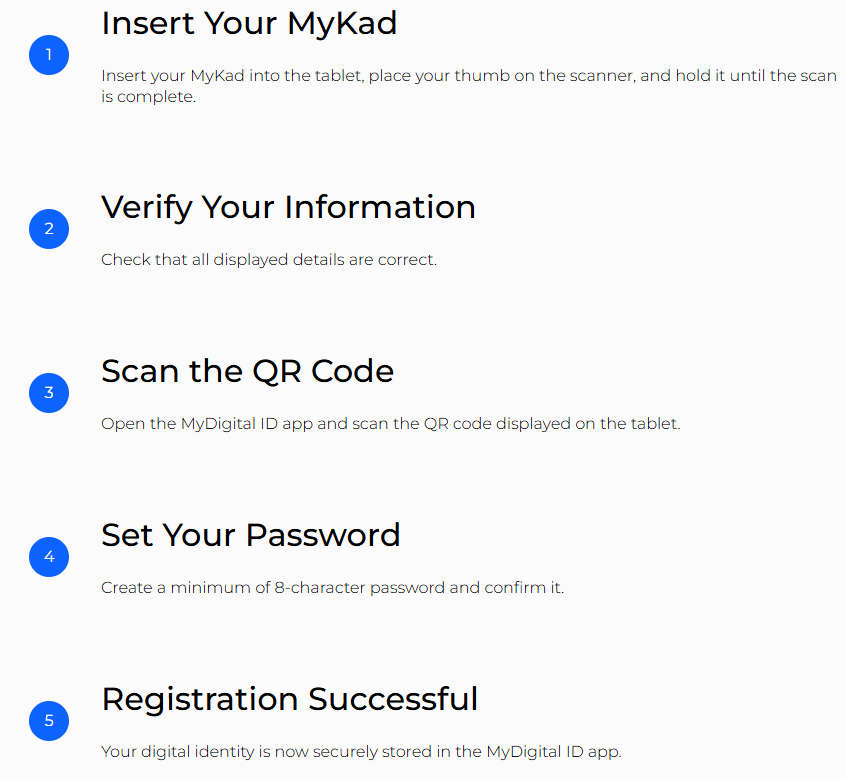
You can refer to kiosk locations here: https://www.digital-id.my/en/support#faq_kiosk
Follow Wah Piang for more.